Context Engineering Is Just Writing Things Down
“Context engineering” is the internet’s new shibboleth. Fine. We’ve had worse. So here’s an argument starter: The only interesting thing about Openclaw is its context engineering. The way it manages and inserts memory into agent context. Yes, this is because I live in a world where everything you need from a computer is just a few prompts away. So no, I don’t think a Slack connector or a WhatsApp bridge is interesting. The memory system is cool though.
People are having fun with SOUL.md because it lets you set a persistent personality and some behavioral traits. MEMORY.md is … memories, and daily logs capture ongoing session context, but these are standard agent equipment. What’s worth a look is how each of these are managed. Daily logs are append-only and decay in relevance over time. They’re noise with signal in it. MEMORY.md doesn’t decay, it only changes when the agent or the user deliberately promotes something into it. One is a stream, the other is curated.
Then there’s memory recall. A hybrid of keyword search (BM25) and vector search, weighted 70/30, with diversity re-ranking so you don’t get five variations of the same result. It finds both exact matches like error codes and conceptual matches like “that thing we discussed about auth.” All backed by local SQLite.
Of course these aren’t revolutionary features, but they serve to make my point. The quality of an agent’s work is far more dependent on how much it knows about your project and its environment than it is about model capability.
This is why we’re working our collective ass off to help Sprites understand how to operate themselves and other Sprites with built-in documentation. Just Tell Claude To Do It covered what comes in the box. But when it comes to your specific Sprite project, these should be considered a starting point.
There are four different ways to make your Sprite better at working on your project:
- CLAUDE.md — project conventions, commands, patterns. Claude reads this on every session.
- Skills — reusable multi-step workflows that activate by description.
- Hooks — scripts that inject live environment state into Claude’s context.
- Checkpoints — snapshots that make the whole investment durable.
Used together, these can turn a Sprite that everyone else has into a specialised coding agent environment that knows your project and your workflow inside out. Try this:
The Project
Let’s build an excuse-as-a-service API called Alibi in a Sprite. We want to be able to hit it with “late to standup”, “forgot to review the PR”, “haven’t replied in three days” situations and have it generate a plausible excuse. It’s a Bun + Hono backend with Postgres for storing excuse templates and usage stats. Yes, we’ll open source it.
CLAUDE.md
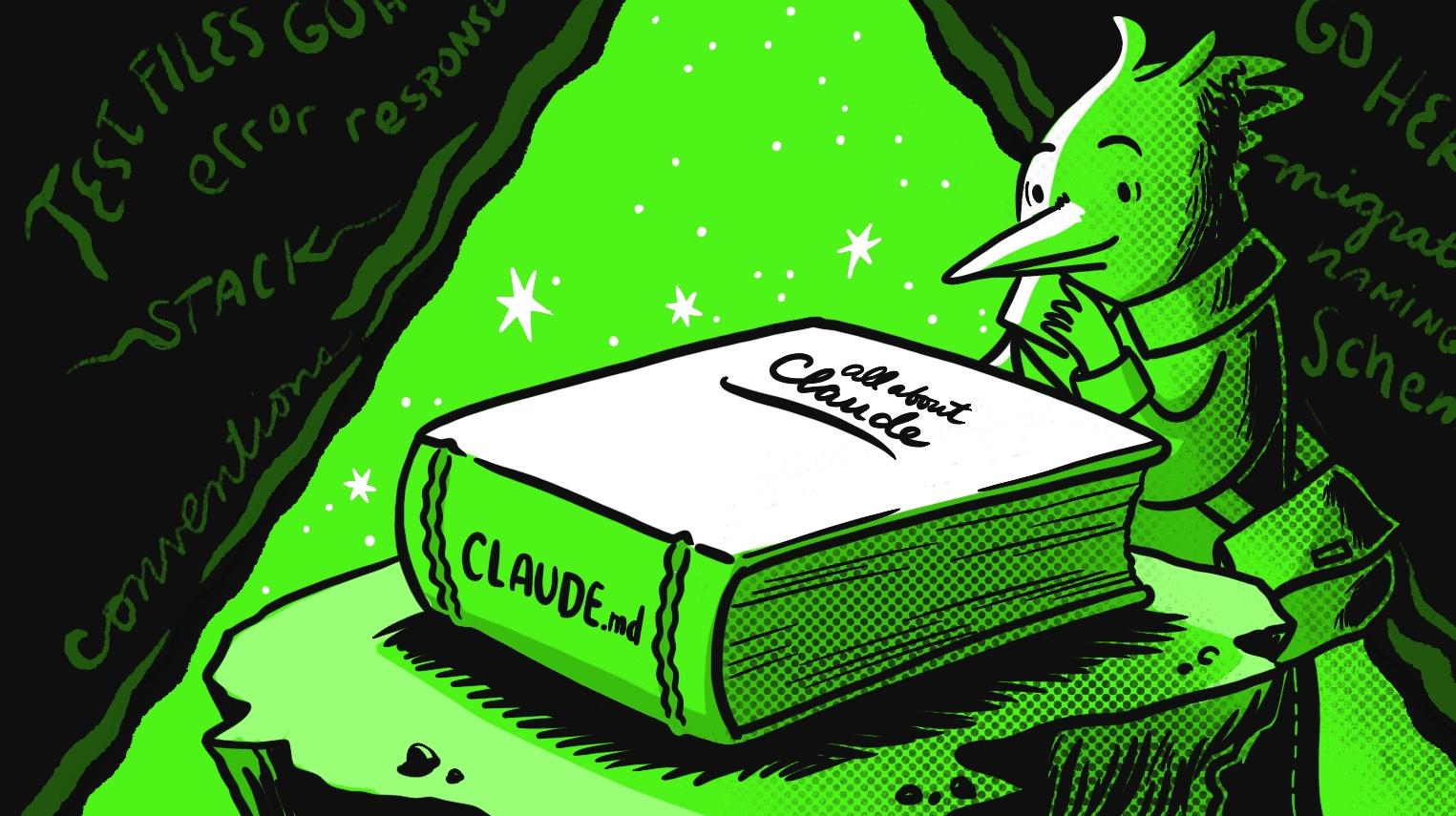
CLAUDE.md is read from your project root at the start of every session. Write one before you ask Claude to do anything. Add what you know you want about the project; the stack, the commands, the conventions you care about. Then remember to grow it as you work. Any time Claude uses console.log instead of your logger, or puts tests in the wrong directory, or forgets the auth middleware, tell it to fix it and update CLAUDE.md. By the time Alibi soft launches, my CLAUDE.md has the stack, the commands, the migration naming scheme, the error response format, the logging convention, and a note about where test files go.
Skills for Repeated Workflows
CLAUDE.md is not for multi-step processes you run repeatedly. That’s where I wanna use Skills.
In preparation for the millions of users that Alibi will have, I want a robust preflight check before every PR. Tell Claude:
Write a Claude Code skill called “preflight” that runs tests, type checking, linting, and checks for leftover TODOs, in that order. Stop at the first failure.
Yeah I could just say this every time, but I’ll probably describe it differently every time and give Claude an excuse to screw it up. With a skill at ~/.claude/skills/preflight/SKILL.md, I just say run preflights. Done.
Hooks for Things You Forget
See Alibi’s environment hook and git state hook
Use hooks to inject anything you want Claude to know about the state of the environment right now.
Try a Sprite environment hook that warns Claude about crashed services and stale checkpoints, and/or a git state hook that feeds branch, uncommitted changes, and ahead/behind status into context.
Hooks are how you stop Claude from building inside a windowless house. No more explaining environment errors it should already know about. No more soul-destroying moments where Claude says “Alibi is live!” when Postgres has been dead for ten minutes.
Checkpoint the Investment
Claude should already be checkpointing automatically because the Sprite docs tell it to. If it’s not, tell it to. Sternly. A checkpointed Sprite is a safe place of work. Everything you’ve built; the CLAUDE.md, the skills, the hooks, the installed dependencies, the running Postgres service, the very project itself, is on the Sprite’s filesystem.
This is the part you don’t get on your laptop. This stuff is scattered across your machine and easy to lose. In a Sprite, it’s all environment state. This is the quiet joy of the humble checkpoint.
The Payoff
A week from now, a user from Yakutsk reports that excuse generation is returning duplicates when their category has fewer than ten templates. I open my Sprite, start Claude, and say:
There’s a bug where excuse generation returns duplicates when a category has fewer templates than the requested count. Investigate and fix.
Claude checks the git state hook: Clean working tree, on main. It reads the service logs. It finds the query in src/services/generator.ts, spots the issue (sampling with replacement instead of without), fixes it, writes a regression test next to the source file using bun test, runs the suite, and checkpoints.
It used the right test runner. It put the test in the right place. It logged with pino. It followed the error response format. It checkpointed. I said none of that. The context layer did.
Look mom, I’m a context engineer! No mom, I didn’t even need a vector database or a RAG pipeline or some token-bingeing memory flush before compaction. Just files on disk, curated from real use, in an environment where they persist.